




Who is this article for?
- Existing Tenants that want to submit a maintenance request in Las Vegas, NV
Before you begin
Submitting a maintenance request is quick and easy. Please follow the steps below to report any issues in your home so our team can address them as efficiently as possible.
Step 01
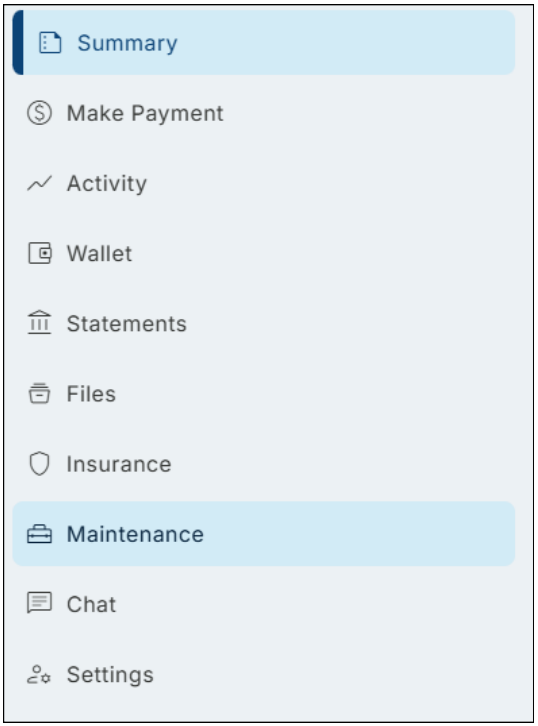
Click the Menu icon in the upper-left corner of your screen, then select Maintenance. Here you'll see all open maintenance requests for your property.
Step 02
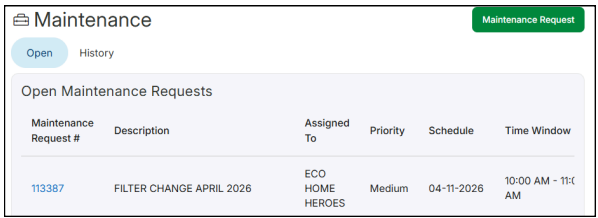
Click the green "Maintenance Request" button to start a new work order. Enter all required information, add the incident location, and upload at least one image of the issue.
Step 03
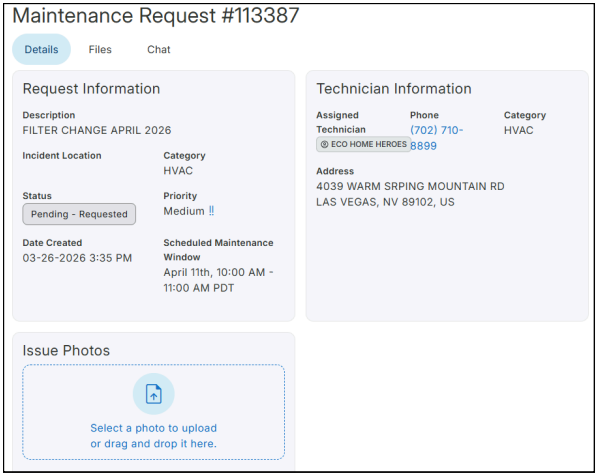
Click the green "Submit" button to send the request to the property manager. You can add more images or documents after submitting. The request status will appear on the left side.
Step 04
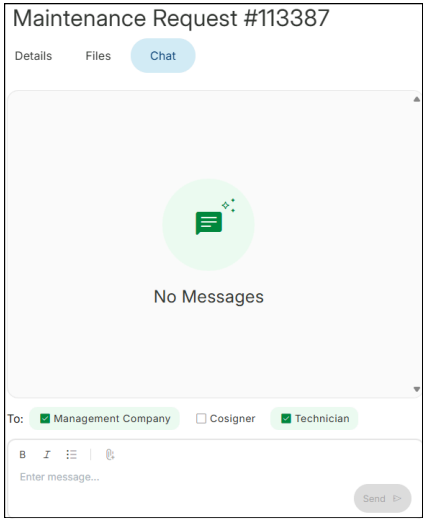
Each request includes a group chat to communicate with the property manager and vendor (if assigned). Respond to messages as needed.
Step 05
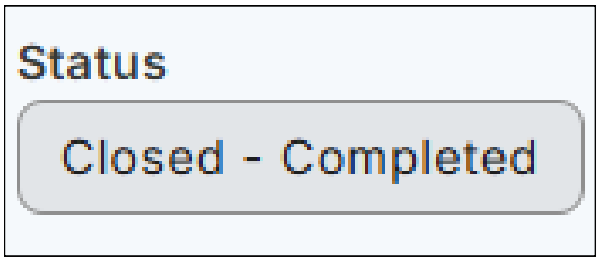
Once the issue is resolved, the status will change to Closed. You can have multiple requests open at the same time and return to the full list anytime from the Maintenance tab.
We're here to support you every step of the way. If you have any questions or need assistance at any point, please don't hesitate to reach out, our team is happy to help.
 Bonnie is the visionary that has driven the company and culture of Avalon since 1993. Her passion is improving procedures and practices; incorporating technology and value added services for both our clients and tenants.