




Who is this article for?
- Applicants for rental properties in Las Vegas, NV
- Tenants in process of renewing their lease in Las Vegas, NV
Before you begin
All residents and applicants must comply with Avalon's Pet Policy. This applies to both households with pets and those without. Unauthorized pets are strictly prohibited at any time. Violations of this policy may result in fines and could lead to lease enforcement actions, including possible eviction. (Applicants without pets will not be charged any pet-related fees.)
Avalon's Pet Policy outlines the conditions under which pets may be approved in our managed properties. These guidelines are designed to maintain a safe, clean, and comfortable environment for all residents.
Pets are only allowed with prior written approval and must be included in the lease through a signed pet addendum, along with payment of applicable pet fees. Policies may vary by property owner — some do not allow pets, while others may have restrictions on breed, size, or type. Unless otherwise approved, a maximum of two pets per household is permitted.
Sign Up on OurPetPolicy
Go to the OurPetPolicy sign-up page. It will take you directly to the OurPetPolicy app or website.
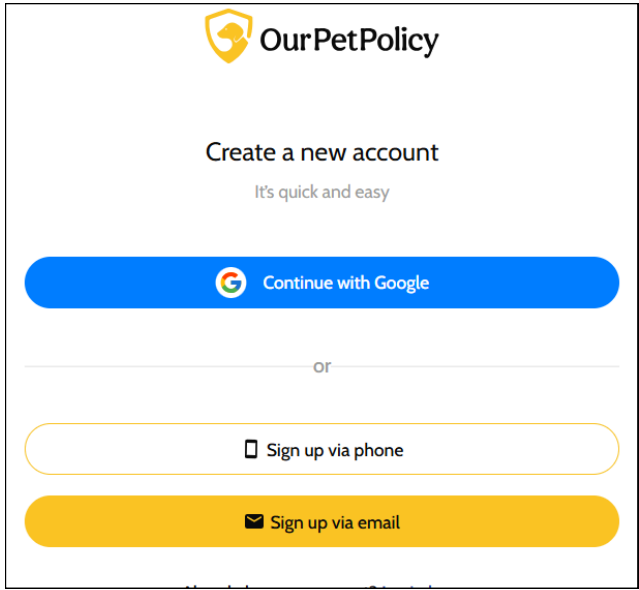
1. Select "Sign Up" and create your account using your email or phone number.
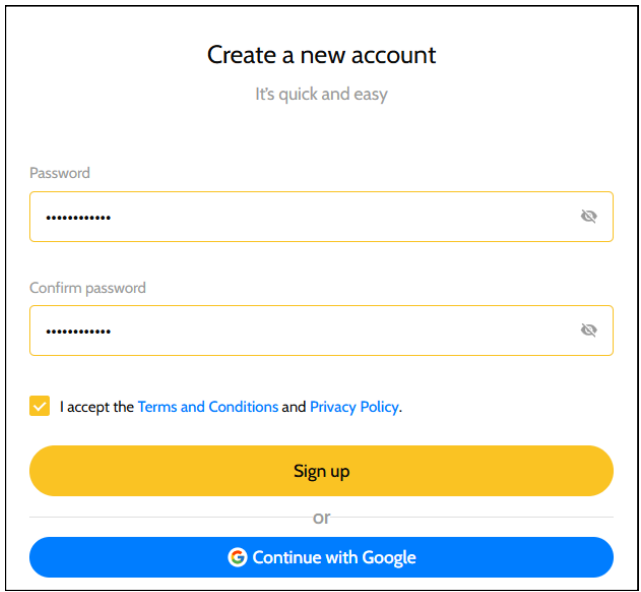
2. Create a password and accept the terms and conditions after reading them.
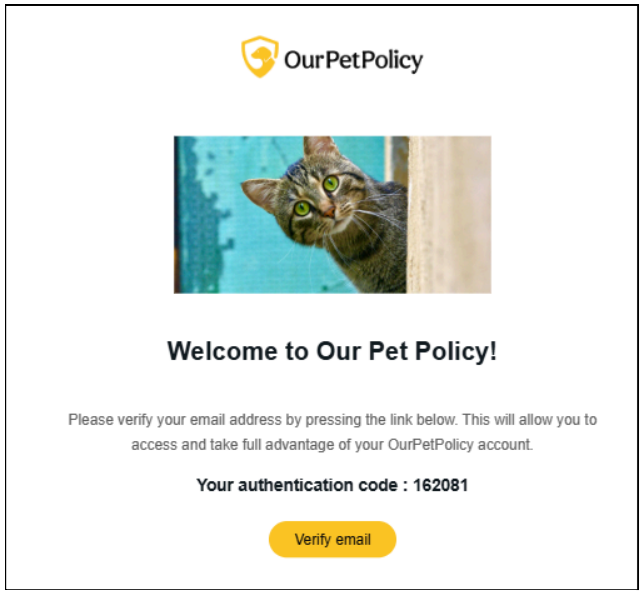
3. You will receive a verification code by email or text.
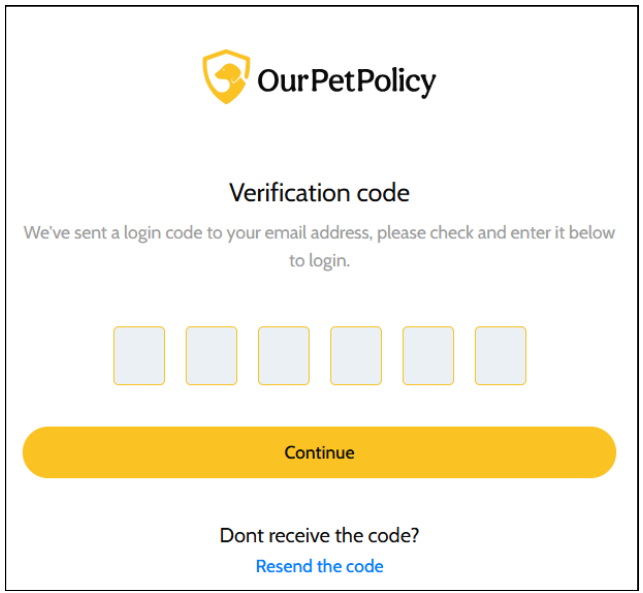
4. Enter the code to continue.
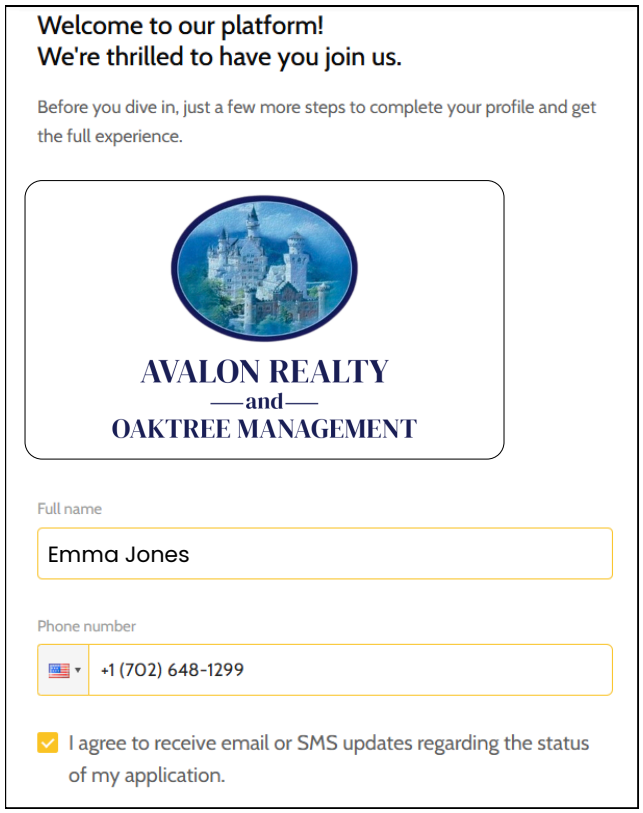
5. Complete your profile by adding a photo, your full name, and your phone number.
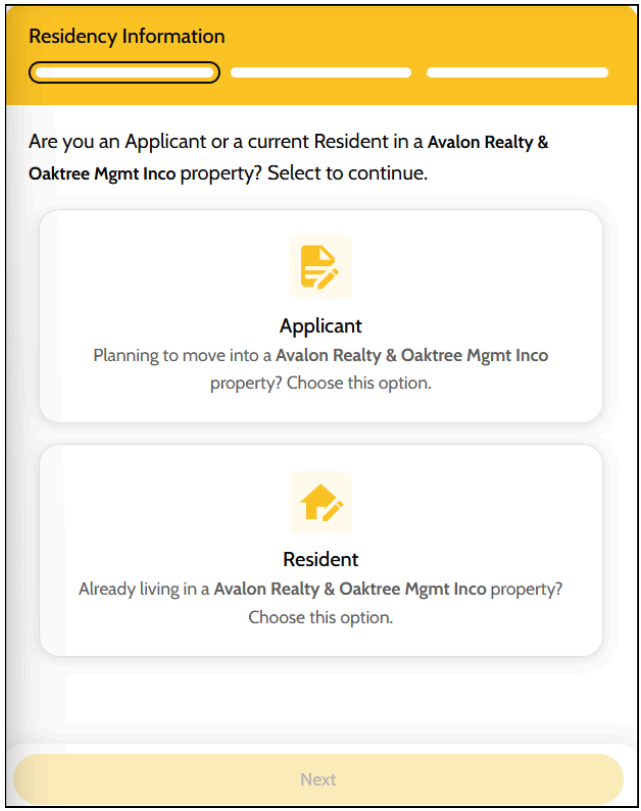
6. Select whether you are an Applicant or an existing Avalon Resident.
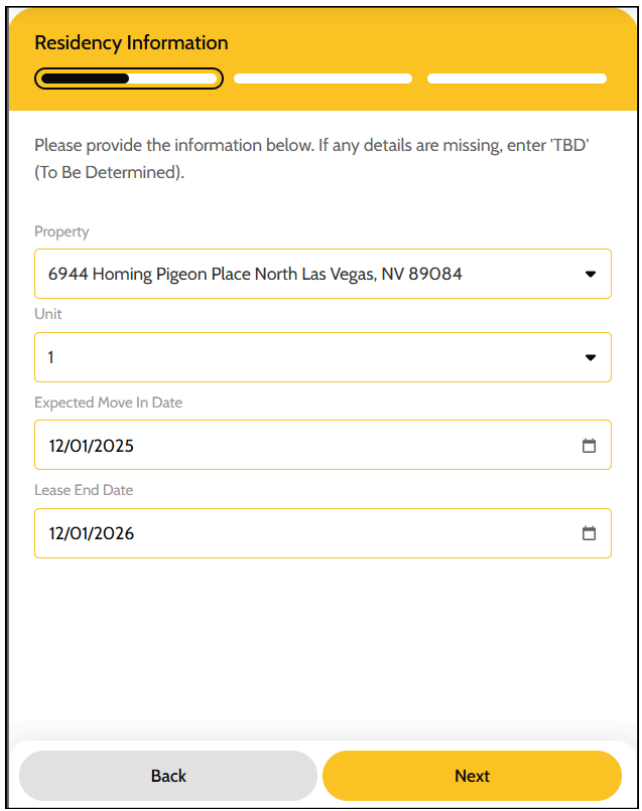
7. Choose the property you live in (or will live in) and enter your move-in/move-out dates.
If you DON'T have pets
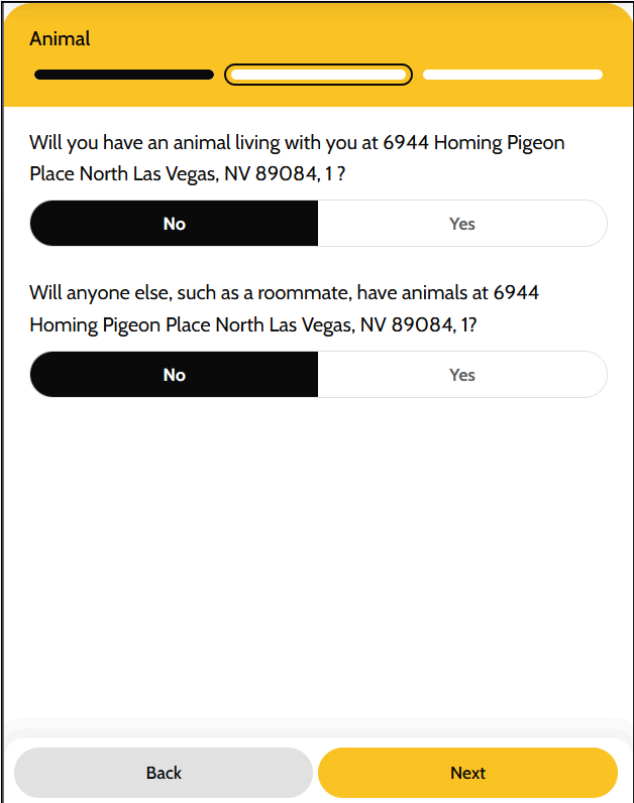
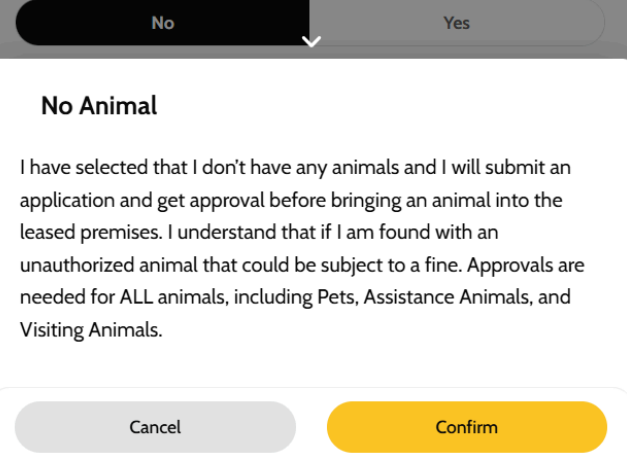
8. If you do not have a pet, select "No." If no one else in the household has a pet, also select "No."
9. A message will appear asking you to confirm that you do not have pets. Click "Confirm," and you're done.
If you DO have pets
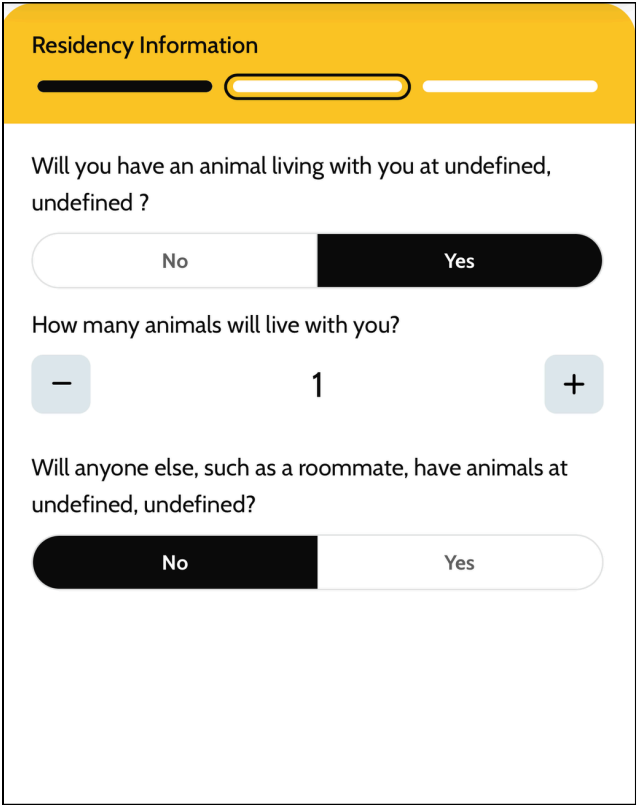
10. If you will be living with an animal, select "Yes" and continue.
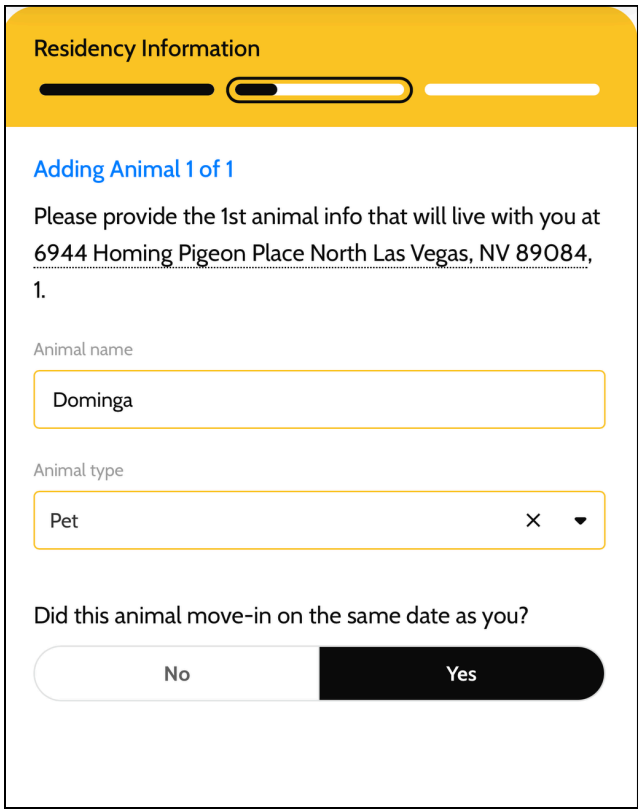
11. Enter your pet's name, the type of animal, and whether the animal already lives with you or will move in with you.
12. Add any additional pets if needed.
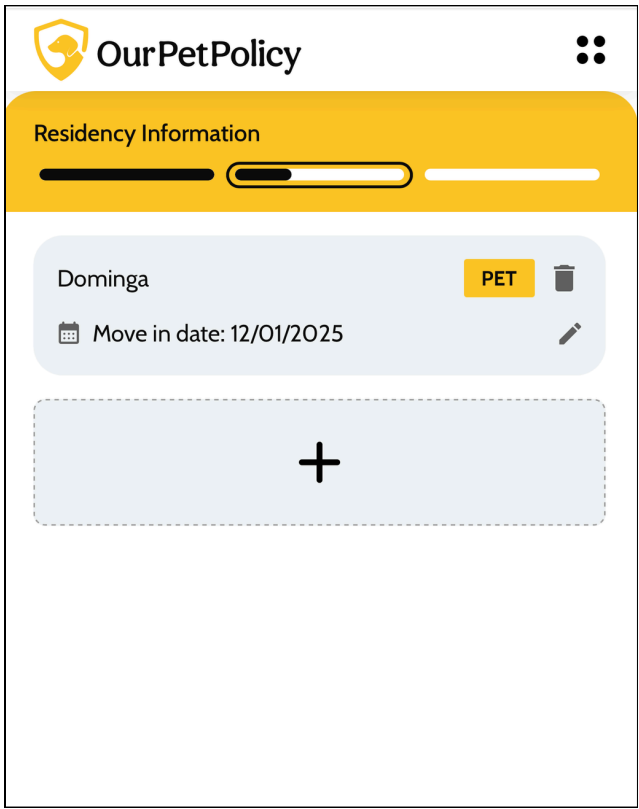
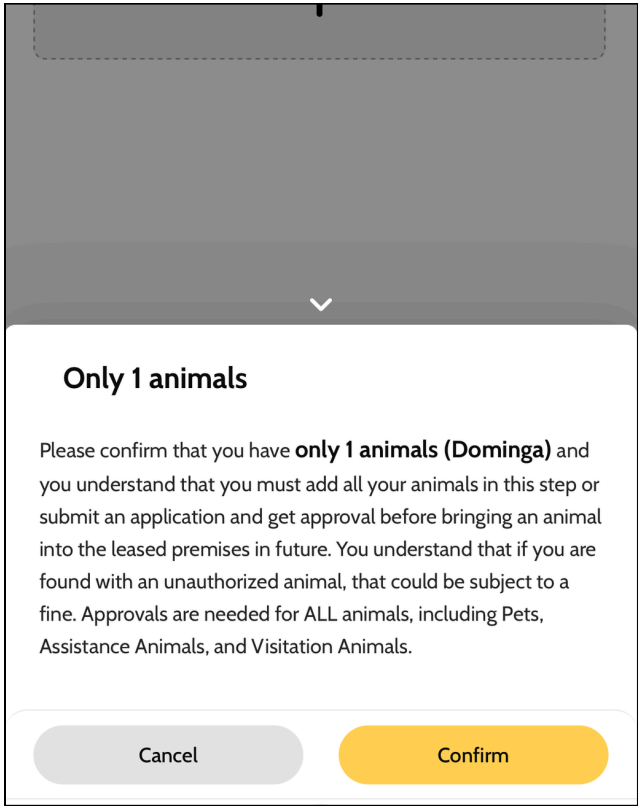
13. Confirm the total number of animals you will have.
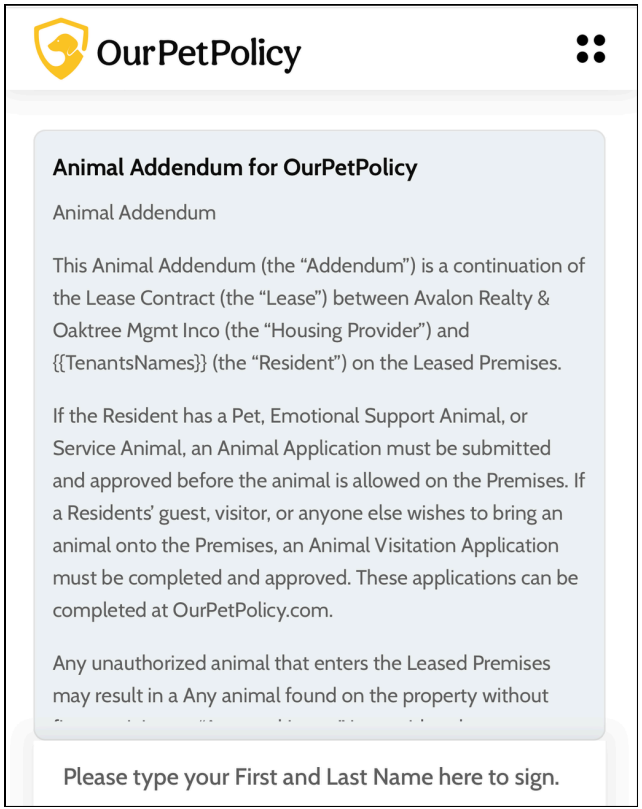
14. Read the Animal Addendum and sign it.
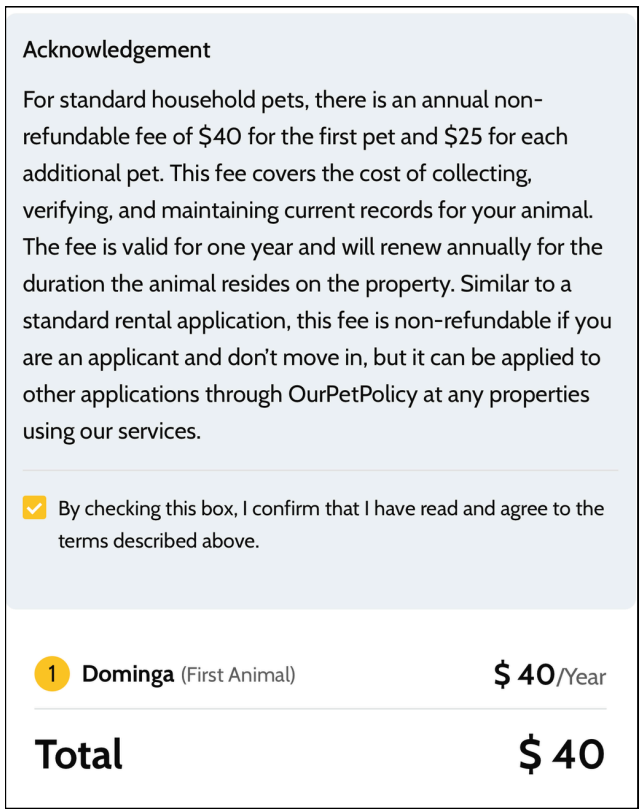
15. Accept the acknowledgment. You will then be asked to pay the annual, non-refundable fee to OurPetPolicy.
16. After completing these steps, you can finish setting up your pet profiles.

Contact Support
If you have any questions or trouble submitting your pet's information, please contact the OurPetPolicy support team:
- Text support: 208-219-5668
- Email: Support@ourpetpolicy.com
Application Review
We'll review your application carefully along with OurPetPolicy, this may take 72 hours.
They will contact you directly if anything is missing, so please keep an eye on your inbox.
All applicants must complete the Our Pet Policy profile — for cats, dogs, ESAs, or even if you don't have a pet. Learn more about Avalon's Pet Policy.
Application Fee
Pet application fees are charged by OurPetPolicy, not by Avalon Realty and Oaktree Management.
 Bonnie is the visionary that has driven the company and culture of Avalon since 1993. Her passion is improving procedures and practices; incorporating technology and value added services for both our clients and tenants.